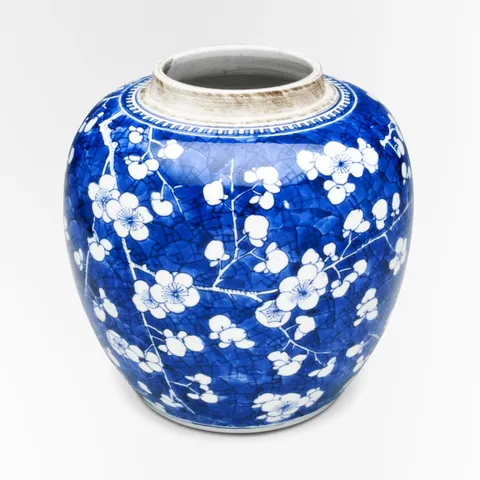
Each chapter of the studio's story rises into place as it scrolls into view, its photo first and its words after.
whileInView
viewport: root, amount, once
variants
staggerChildren
Live demo
A shed at the end of the garden
The studio began with one wheel and a second-hand kiln in a shed, firing a dozen pots a month for friends.
The first glaze that ran
A firing that went too hot turned a plain blue into streams of green. It was meant to be a mistake; it became the Lagoon.
Glass, next door
A glassblower took the workshop beside ours, and the carafes and tumblers in the shop come from her bench.
Twelve pieces, made in small runs
We still make everything in batches of a few dozen, so a piece that sells out comes back when the next firing cools.
Reduced motion: Chapters fade in as they come into view, without rising.
Why
Content that arrives as you reach it rewards the scroll: each chapter comes as you get to it rather than all at once at the top, and the eye lands on it as it moves.
Each chapter takes whileInView, a variant it names while it's in view, with viewport saying what in view means here: a third of it showing (amount) in the story's panel (root), and once, so scrolling back up doesn't hide it again. Its photo and words are Variant children, staggered by the chapter's transition.
The code
examples/reveals/Demo.tsx
import { photoOf } from "@wardic/example-storefront-shared/images"import { STUDIO_CHAPTERS } from "@wardic/example-storefront-shared/stories"import { wardic } from "@wardic/solid"import { For } from "solid-js"// Each chapter names a variant as it comes into view; its photo and words follow, one after another.const chapter = { hidden: {}, shown: { transition: { staggerChildren: 0.1 } },}const part = { hidden: { opacity: 0, y: 28 }, shown: { opacity: 1, y: 0, transition: { type: "spring", stiffness: 160, damping: 22 } },} as constexport default function Reveals() { let panel!: HTMLDivElement return ( <div class="story" ref={panel} tabindex="0" aria-label="The studio's story"> <For each={STUDIO_CHAPTERS}> {(story) => { const photo = photoOf(story.photo) return ( // In view once a third of it shows in the panel; once, so scrolling back up doesn't hide it. <wardic.section class="chapter" variants={chapter} initial="hidden" whileInView="shown" viewport={{ root: () => panel, once: true, amount: 0.35 }}> <wardic.img variants={part} src={photo.small} width={photo.width} height={photo.height} alt="" /> <div> <wardic.h3 variants={part}>{story.title}</wardic.h3> <wardic.p variants={part}>{story.text}</wardic.p> </div> </wardic.section> ) }} </For> </div> )}
examples/reveals/Demo.tsx
"use client"import { photoOf } from "@wardic/example-storefront-shared/images"import { STUDIO_CHAPTERS } from "@wardic/example-storefront-shared/stories"import { motion } from "motion/react"import { useRef } from "react"// Each chapter names a variant as it comes into view; its photo and words follow, one after another.const chapter = { hidden: {}, shown: { transition: { staggerChildren: 0.1 } },}const part = { hidden: { opacity: 0, y: 28 }, shown: { opacity: 1, y: 0, transition: { type: "spring", stiffness: 160, damping: 22 } },} as constexport default function Reveals() { const panel = useRef<HTMLDivElement>(null) return ( <div className="story" ref={panel} tabIndex={0} aria-label="The studio's story"> {STUDIO_CHAPTERS.map((story) => { const photo = photoOf(story.photo) return ( // In view once a third of it shows in the panel; once, so scrolling back up doesn't hide it. <motion.section key={story.title} className="chapter" variants={chapter} initial="hidden" whileInView="shown" viewport={{ root: panel, once: true, amount: 0.35 }}> <motion.img variants={part} src={photo.small} width={photo.width} height={photo.height} alt="" /> <div> <motion.h3 variants={part}>{story.title}</motion.h3> <motion.p variants={part}>{story.text}</motion.p> </div> </motion.section> ) })} </div> )}